
Documentation
Tools, Import, Export, and Translations
Move configuration safely between sites and manage runtime language overrides.
The Tools and Translations workspaces support migration and localization. Use them with backups and a staging verification process.
Who this is for
Administrators, localization teams, and deployment engineers
What you will achieve
Configuration packages can be moved safely and customer runtime labels can be translated without editing bundled JavaScript.
Before you begin
- A recent database and uploads backup.
- Matching plugin versions on source and destination.
- A staging destination for import tests.
Export a configuration package
Where to go: Asuka Designer > Tools > Export a config package
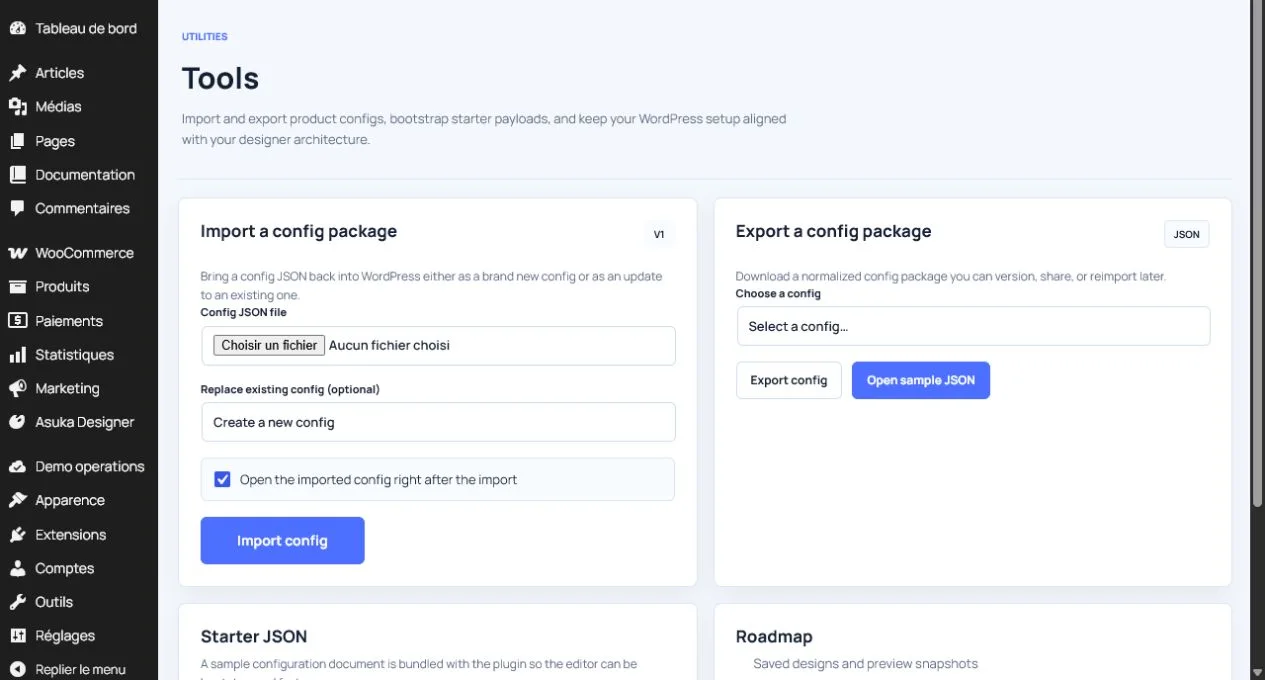
- Select the source configuration.
- Export the package before large changes or migration.
- Store the JSON with release and environment notes.
- Keep related media files and licenses backed up separately.
Import a configuration package
Where to go: Asuka Designer > Tools > Import a config package
- Choose a valid APD JSON package.
- Choose whether referenced records should be created or linked according to the available options.
- Import on staging.
- Review missing media URLs, templates, assets, and provider settings.
- Save/reload every imported configuration.
- Run QA & Diagnostics.
Avoid this: Environment-specific URLs, license data, provider secrets, and media availability must be reviewed after migration.
Use Starter JSON
Starter JSON is a technical starting point for advanced configuration work. Prefer the visual editors for ordinary product authoring.
- Use it to inspect the expected shape of a configuration.
- Validate JSON before saving.
- Do not paste secrets or temporary local URLs.
- Keep stable IDs consistent with existing product data.
Create a runtime locale
Where to go: Asuka Designer > Translations
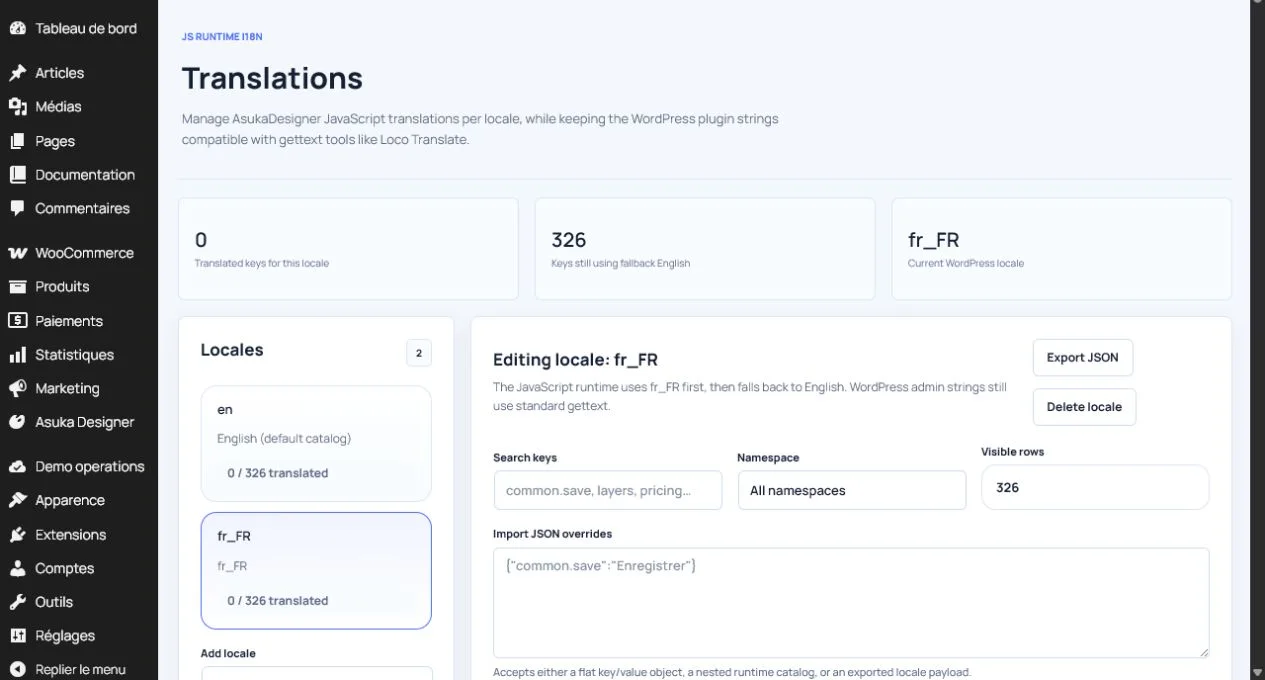
- Create a locale code such as fr_FR and a readable label.
- Search runtime keys by namespace or label.
- Enter translated values.
- Save and inspect the translated count.
- Test the customer designer with that locale.
Understand the two translation layers
- WordPress admin strings use standard gettext files and the asuka-product-designer text domain.
- JavaScript runtime strings use the Translations catalog and fall back to English.
- A missing runtime key should display its English catalog value rather than a blank label.
- Export translation JSON before bulk editing or migration.
Need to verify the result?
Run Asuka Designer > QA & Diagnostics, then repeat the customer workflow in a private browser window.