
Asuka Product Designer
Personalized WooCommerce Orders and Production
Retrieve customer designs, previews and selected options with WooCommerce orders. Explore the Asuka Product Designer workflow from cart to production.
From the customer to your workshop
Keep the design and the order together.
A personalized order needs more than a product name. Asuka Product Designer keeps the saved creation, preview and selected options with the WooCommerce order, giving your team a clear starting point for review and production.
Explore the live demos without an account.
A practical workflow
A creation your team can follow.
-
Save the customer’s choices
The customer personalizes the product and adds it to the cart. The customization is kept with the matching cart item.
Understand cart editing -
Review the order
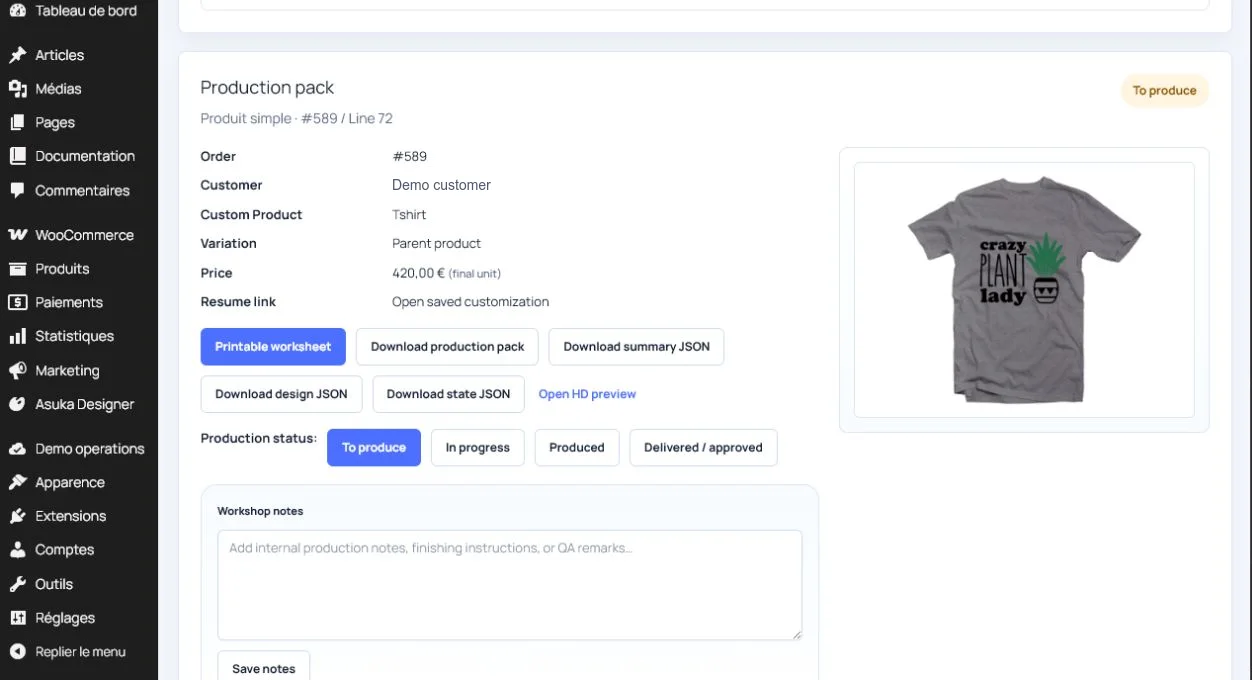
Retrieve the preview and saved design, inspect the selected options and reopen a working copy when your team needs to make a production adjustment.
Explore the order workflow -
Prepare the workshop
Use the available downloads, status and internal notes. Verify the dimensions, resolution and file requirements of your production process before printing.
Check features and export access
Try it on a real product
Start with a real customer creation.
These demos show different configurations. Some use optional paid modules.

Artwork on a T-shirt
Personalize both sides and see the type of creation that accompanies an order.
Try this demo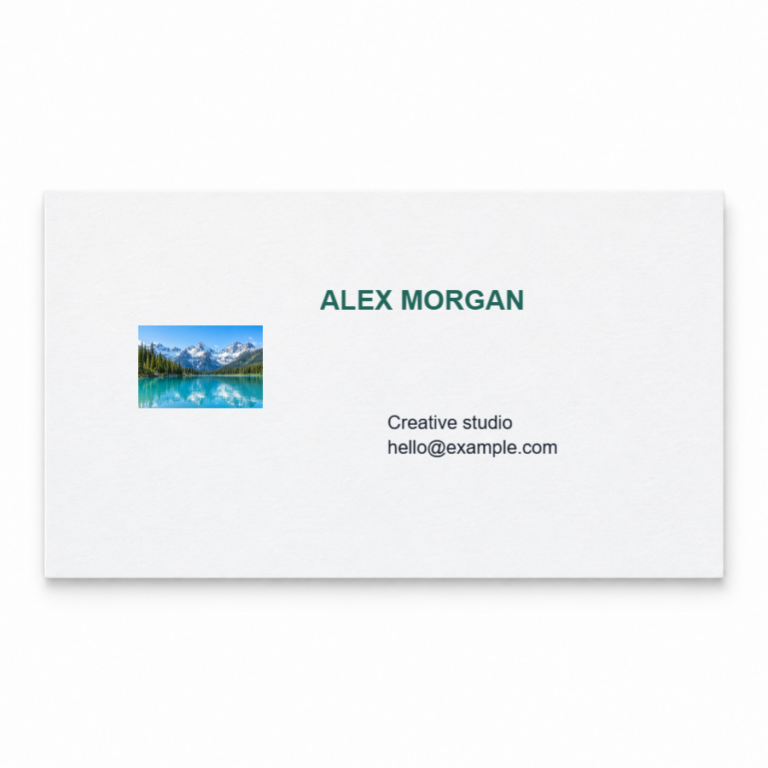
A business card with fixed fields
Add a logo and contact details. This guided example uses Drawing Areas and Markers.
Try this demoBefore you get started
The details that matter to your store.
The WordPress.org plugin includes core 2D and 3D editing without a paid license. Drawing Areas starts with Starter; advanced modules and eligible server exports depend on your plan.
Compare features and plansIs the production pack a ready-to-print PDF?
The production pack groups order and customization data in JSON. It is distinct from a print file. Available image and server exports depend on the view, enabled modules and subscription.
Can I reopen the design without changing the original order?
The workshop editor works on a copy of the saved customization. This lets your team prepare adjustments while keeping the original ordered state.
Which export should my workshop use?
Choose according to your printing process, dimensions and required resolution. The documentation explains the available files; check the plans page for access to advanced server exports and their limits.
Your product, your setup
Try the merchant side, too.
Request a free, private WordPress sandbox for 24 hours. Explore product setup, the editor and the WooCommerce workflow.