
Documentation
Settings, Licensing, and Providers
Configure global runtime defaults, license security, external catalogs, uploads, and data retention.
Settings apply across plugin sessions. Product-specific permissions, catalogs, templates, and validation remain inside product configurations.
Who this is for
Site administrators and technical operators
What you will achieve
The plugin connects securely to required services and exposes only integrations that are actually configured and licensed.
Before you begin
- Administrator access.
- Provider credentials stored in a password manager.
- A production API URL and license key.
Runtime defaults
Where to go: Asuka Designer > Settings > Runtime defaults
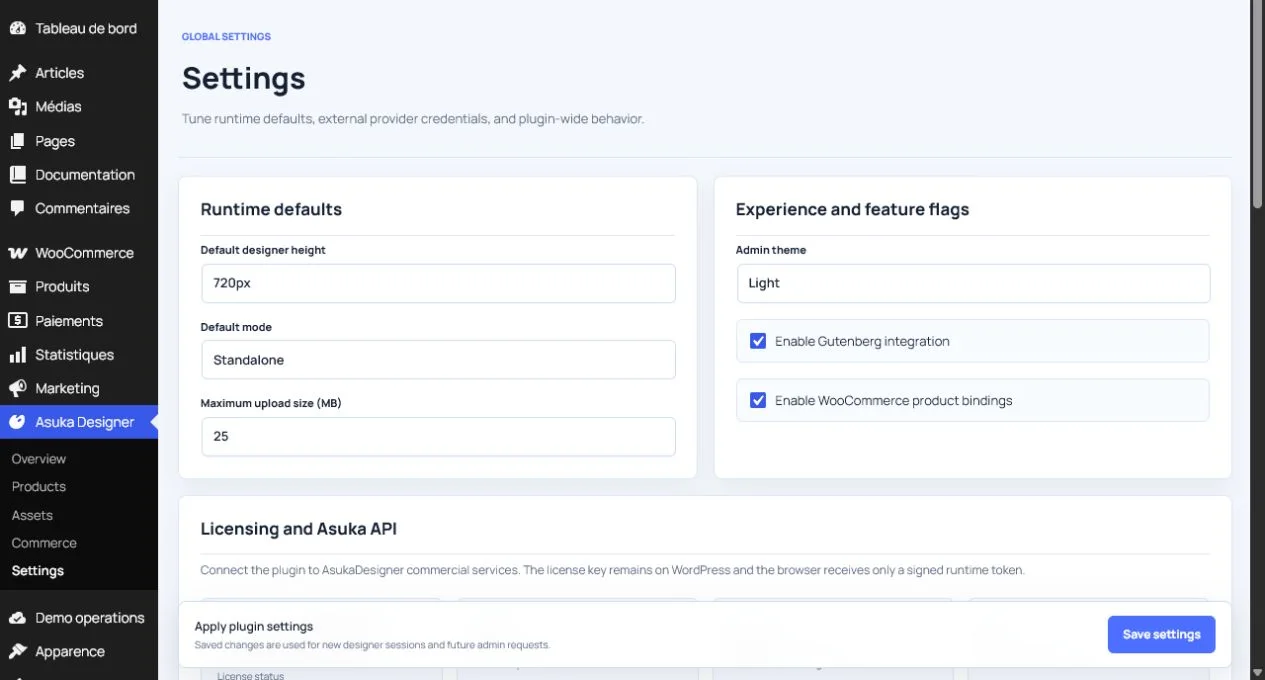
- Default designer height controls mounts that do not specify their own height.
- Default mode chooses Standalone, Customer, or Admin behavior for unspecified mounts.
- Maximum upload size limits plugin uploads but cannot exceed PHP, web server, or WordPress limits.
Experience and feature flags
- Admin theme changes the Asuka administration appearance.
- Gutenberg integration registers the Asuka Designer block.
- WooCommerce product bindings add the product integration workflow.
Avoid this: Disabling an integration hides its workflow but does not automatically delete saved configuration or historical order data.
Commercial licensing
- Keep the commercial runtime enabled in normal licensed deployments.
- The license key remains server-side.
- The Symfony API URL serves license activation, AI, and paid export endpoints.
- Leave the domain override empty to use the WordPress host.
- Use an override only when a development host must match the licensed domain record.
- Review the resolved plan and available add-on chunks after saving.
Avoid this: Do not place provider secrets or raw license keys in frontend JavaScript, page HTML, or query strings.
External image providers
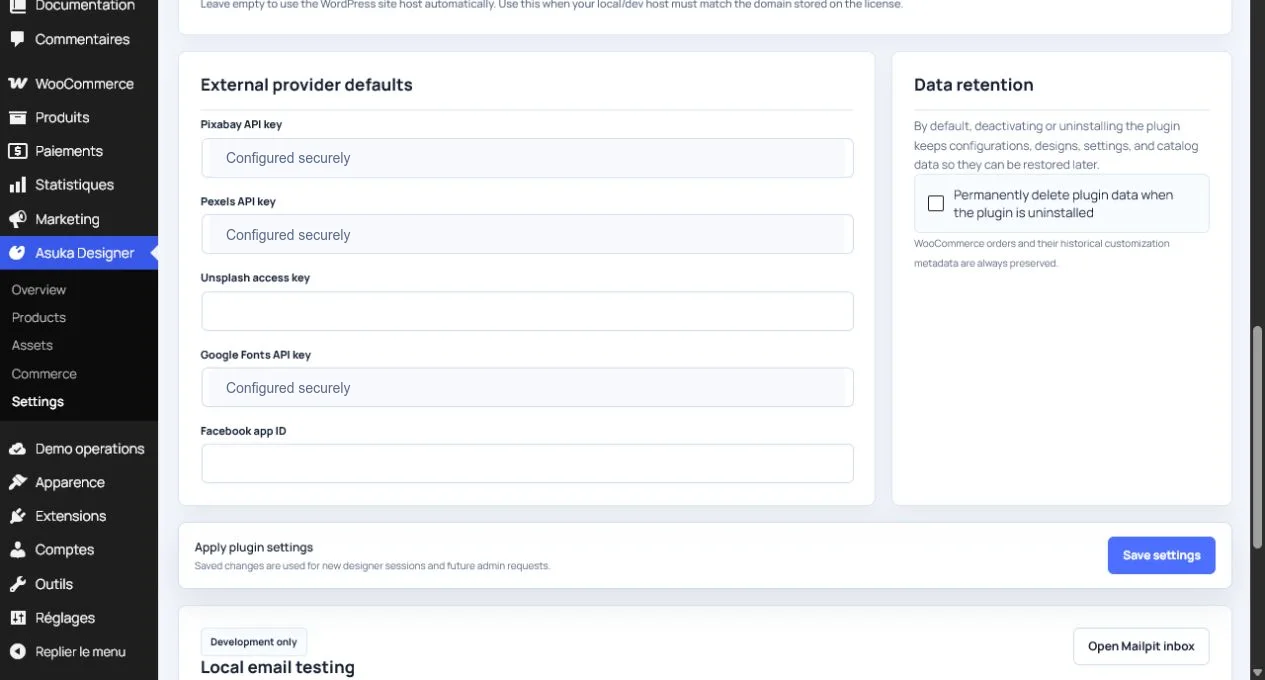
- Pixabay requires its API key and the relevant licensed feature.
- Pexels requires its API key and the relevant licensed feature.
- Unsplash uses an access key where the runtime supports that provider.
- Facebook requires an app ID and its licensed integration.
- A template shortcut remains locked or absent when setup is incomplete.
Tip: After adding a key, save Settings, start a fresh designer session, and verify the provider tab and network response.
Google Fonts
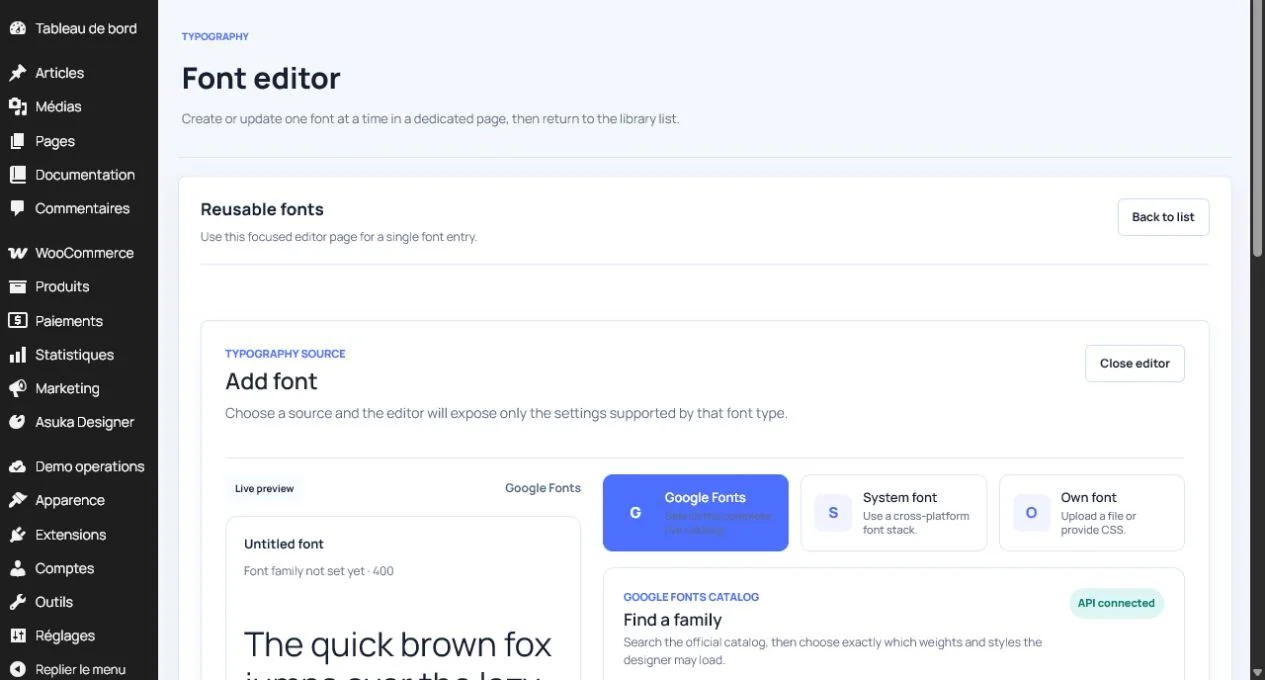
- The API key is used by WordPress to fetch the complete catalog.
- The font editor provides autocomplete and live preview.
- Saved font entries, not the raw catalog, are exposed to customers.
- The runtime loads only selected families, weights, and styles.
AI and background removal
AI operations call server endpoints. The browser license entitlement does not configure the provider by itself.
- Configure the AI provider on the Symfony/API server.
- Keep OpenAI or other provider secrets off WordPress pages and frontend JavaScript.
- Return a clear unavailable message when the provider is not configured.
- Test quota consumption, errors, timeout, and generated media persistence.
Upload limits and file types
- Images use the WordPress media library or configured remote upload workflow.
- Fonts accept supported WOFF2, WOFF, TTF, and OTF files.
- 3D products require valid GLB files and server MIME support.
- SVG files are sanitized before reusable use.
- Align plugin, PHP, WordPress, proxy, and web-server size limits.
Data retention
Deactivation keeps plugin data. Uninstall also keeps it unless permanent deletion is explicitly enabled.
- Leave permanent deletion disabled when the plugin may be reinstalled.
- Back up before enabling deletion.
- Historical WooCommerce order metadata is preserved.
- Document the retention policy for customer designs and uploaded media.
Need to verify the result?
Run Asuka Designer > QA & Diagnostics, then repeat the customer workflow in a private browser window.